Submit your product to directories on autopilot, using your agent + a browser
Your coding agent works down the catalog, filling one directory form after another from your product kit. Then SubmitDock checks every listing page and gets you the number nobody proves: how many actually linked back, and how many of those pass authority.
MIT licensed. Runs on your machine, on SQLite, with no account and no server.
What you need
SubmitDock submits nothing by itself. It is the dashboard beside two things you already have.
A coding agent
Claude Code, Codex or whatever you run, working inside the repo. It reads the catalog and your product kit straight from the database and writes back what it did.
A browser it can drive
Chrome, through a browser automation extension. That is what opens each directory, fills the form from your kit, and submits it.
- 01
Ask for a pass
The agent works down "Ready to send": alive, an open form, nothing blocking, ranked by Authority Score so the valuable ones go first.
- 02
Watch it happen
It reports each step as it goes. The panel at the bottom of the sidebar shows the run, and the tables move while you watch.
- 03
Take the hard ones
A captcha, a social login or a fee is not the agent’s to solve. Those land in "Needs you", so you can clear them in a batch.
- 04
Verify
It fetches every listing page and checks whether a real link to your product is on it, and whether it is dofollow. That number is the whole point.
Start in one prompt
Paste this at your agent inside any folder. It does the clone, the install and the catalog import, then asks you what it needs to know about your product.
Set it up
It stops before submitting anything, so you can look at the kit first.
Set up SubmitDock for me.

Clone https://github.com/camposped/submitdock into a folder beside this one, then follow its
README: install it, run the migrations, import the catalog, and start
it. Tell me the URL when it is up.

Then read AGENTS.md and fill my Product Kit. Ask me the product's name,
its URL, what it does in one line, and where its logo and screenshots
live. Write the short, medium and long descriptions from my answers,
show them to me, and save them once I say they are right.

Stop there. Do not submit anything yet.
Run a pass
Once the kit is filled, this is the one you will paste again and again.
Read AGENTS.md, then run a submission pass for my product.

Take the first 10 from the catalog's "Ready to send" view, highest
Authority Score first. For each one: open it in Chrome, fill the form
from the Product Kit, submit it, and record the result.

Open a run before you start and close it when you are done, so I can
watch it in the sidebar. Update the step with the domain you are on.

If a directory wants a captcha, an account or a fee, leave it and note
why. Do not mark anything submitted that was not.›Or do it by hand
git clone https://github.com/camposped/submitdock
cd submitdock
npm install
npm run db:migrate
npm run import
npm run dev
Then open localhost:3007.
What verification actually checks
Counting submissions is easy and means nothing. Checking the page gets skipped, so it is the part this is built around.
- A real
<a>on the listing page pointing at your product, matched by hostname, sowww., a trailing slash and a?ref=do not fool it rel="ugc"andrel="sponsored"count as nofollow, because they are, and reporting them as wins would be flattering nonsense- A page level
<meta name="robots" content="nofollow">, which quietly downgrades every link on it - A page that will not load leaves the last verdict alone rather than downgrading it on a network hiccup
The catalog comes with it
200+ directories ship in the repo, each scored by Semrush Authority Score. It carries submit URLs, and flags for captcha, account and fee, so the agent knows what it can finish alone.
The catalog is the asset, not the automation. The robot is disposable; the list is not, and it serves your second product without being rebuilt.
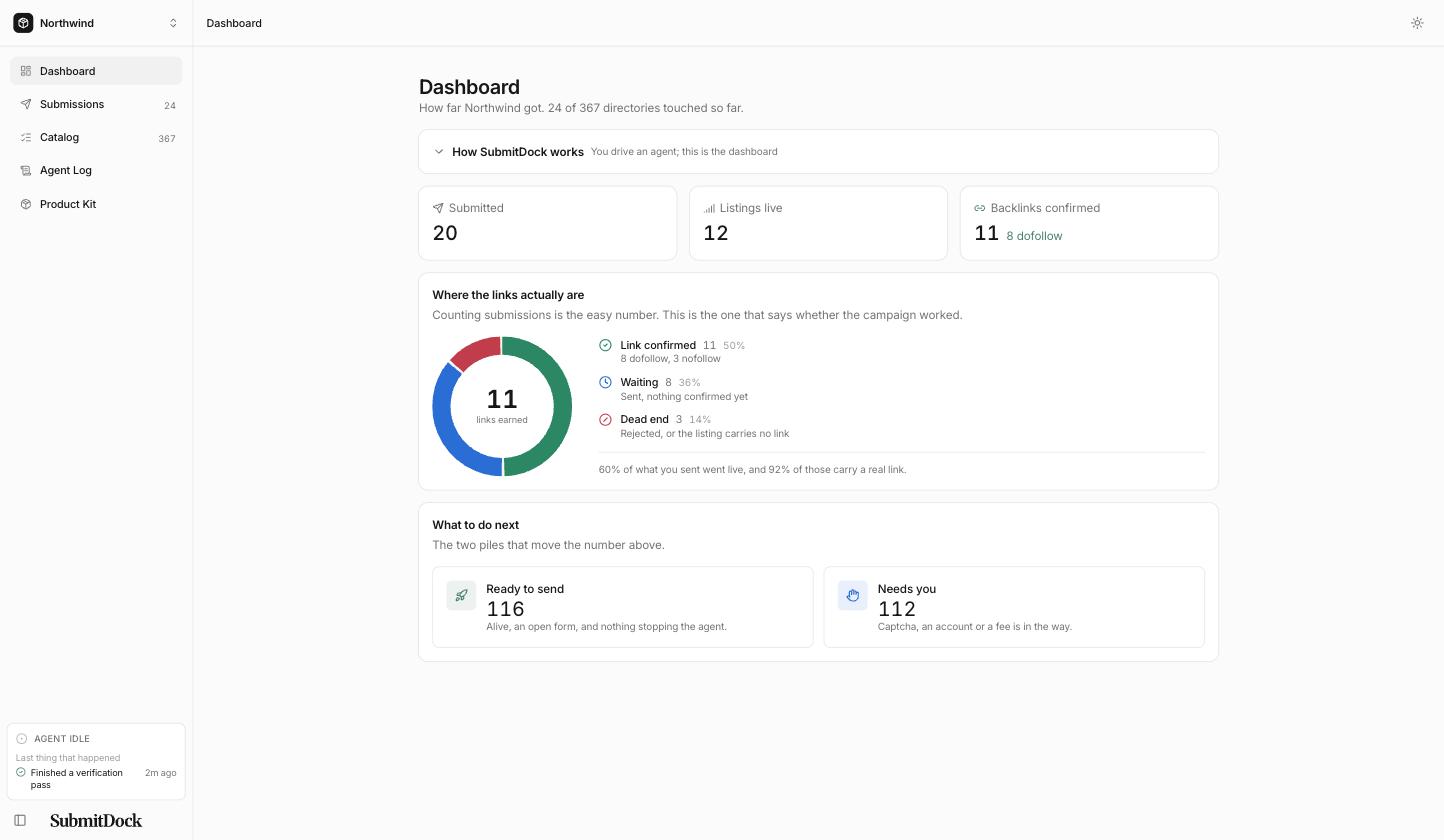
Dashboard
Where the links actually are: confirmed, waiting, dead end, and the conversion between them.
- One ring, three slices that cannot overlap, so four submissions never draw nine wedges.
- The conversion between the stages underneath it, as a sentence rather than a second chart.
- What to do next, when there is something to do.
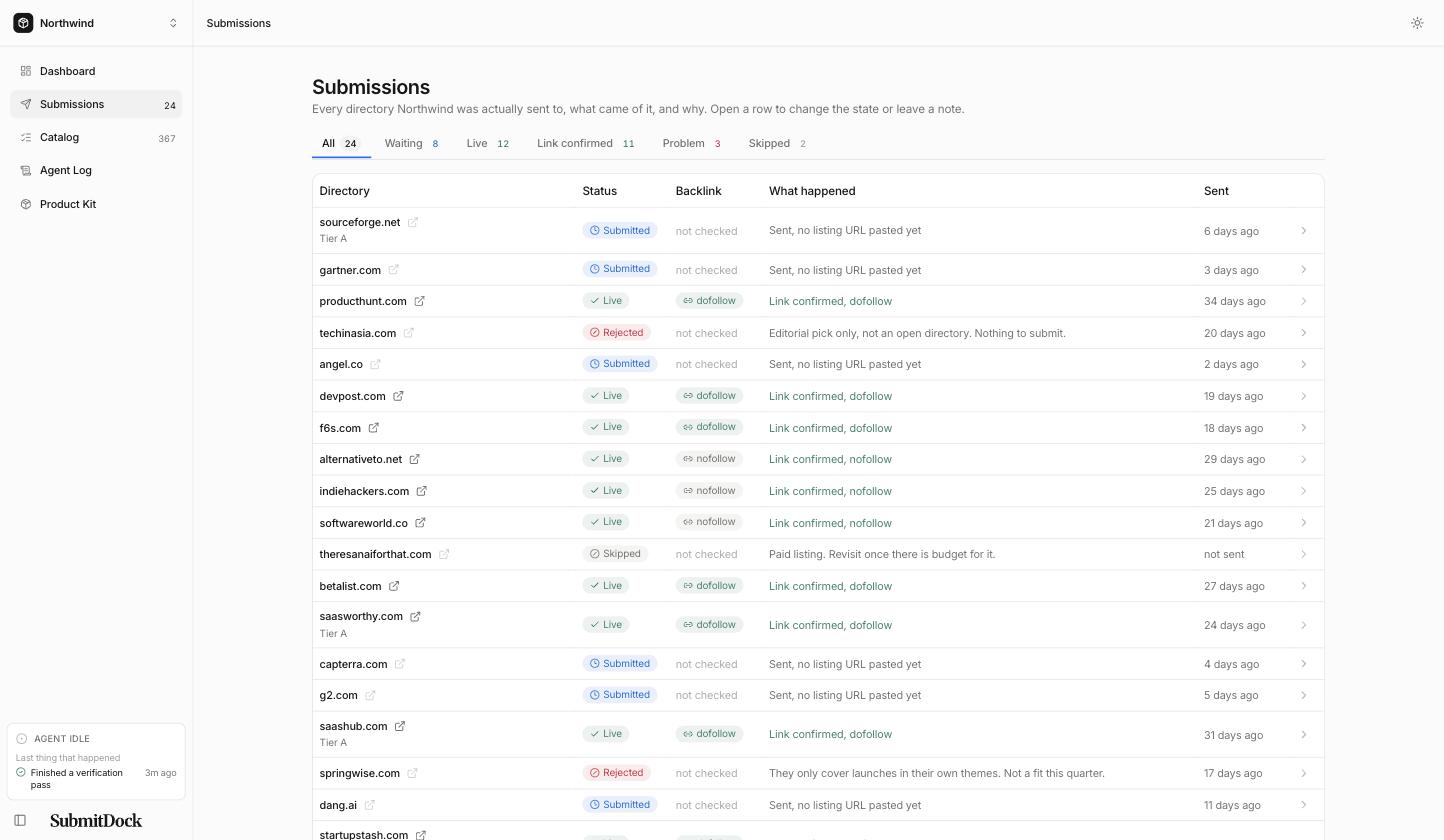
Submissions
Every directory you were sent to, what came of it, and why. Not a log, a state of play.
- One row per directory, carrying the listing URL and the backlink verdict side by side.
- A Problem tab that counts only problems still standing, not ones already dealt with.
- A "What happened" column that prints a sentence, never a raw database value.
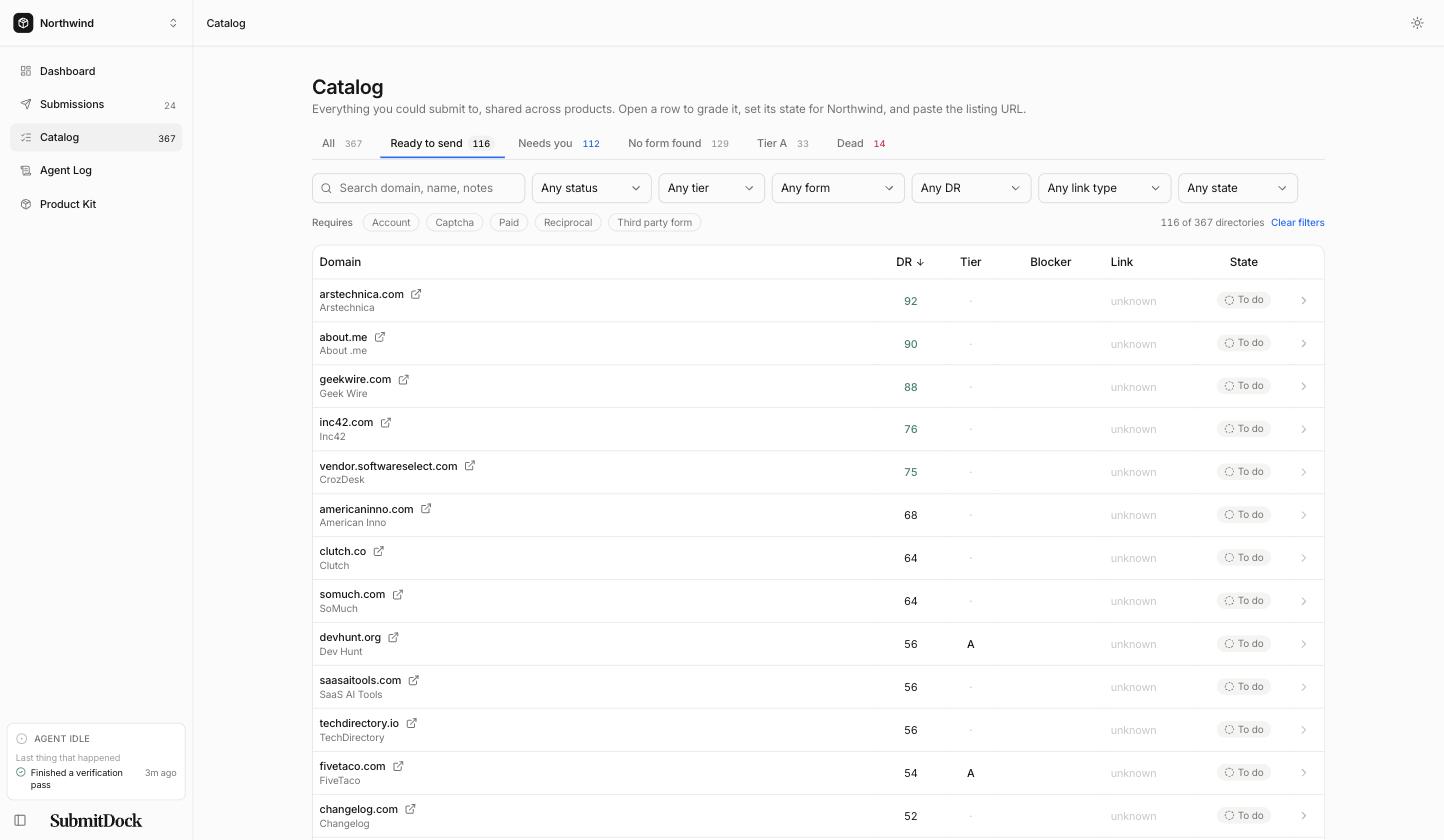
Catalog
All the directories, ranked by authority, filtered to the ones the agent can finish alone.
- All of them, sorted by Authority Score, so the valuable ones go first.
- Filters for whatever blocks you: a captcha, an account, a fee, a backlink of your own.
- The link type each directory hands out, learned once and kept for your next product.
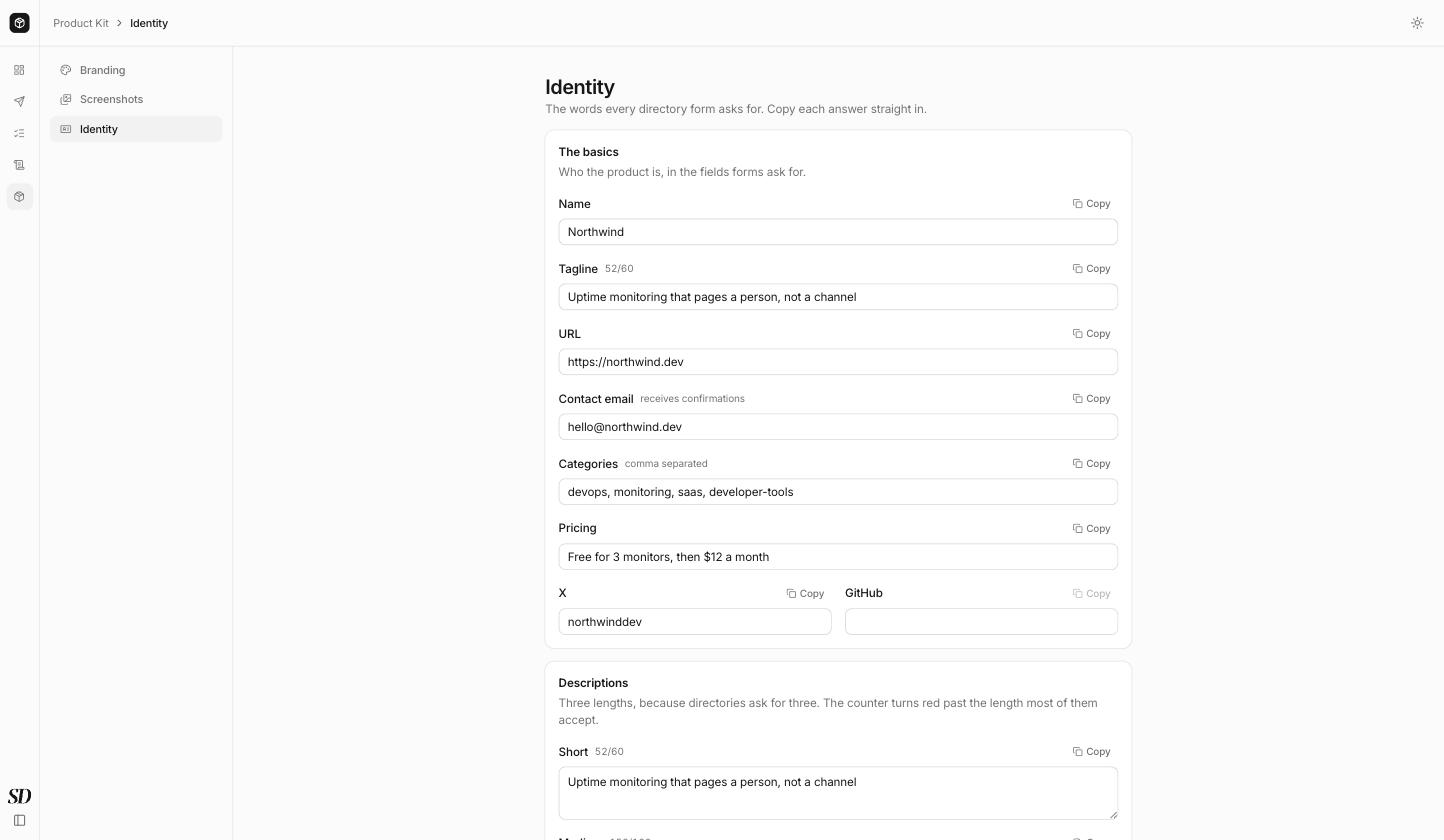
Product Kit
Your answers written once, with a copy button on each, for the forms you end up filling by hand.
- Three description lengths, because directories ask for about 60, 160 and 500 characters.
- Four logo slots named for the background the artwork goes on, not the colour of its ink.
- Screenshots as file paths, ready to paste into an upload dialog.
What it is not
Not hosted
No account, no server, no data leaving your laptop. The database is a file in the repo folder.
Not a scraper
It fills forms the way you would, through a browser, at the pace a person works.
Not a guarantee
Directories reject people, and some will reject you. This tells you which ones, instead of counting them as wins.
Help yourself
Brought to you by